
Balances and settling up
See who owes whom, record payments and export a receipt to collect.
Steps
Step 1
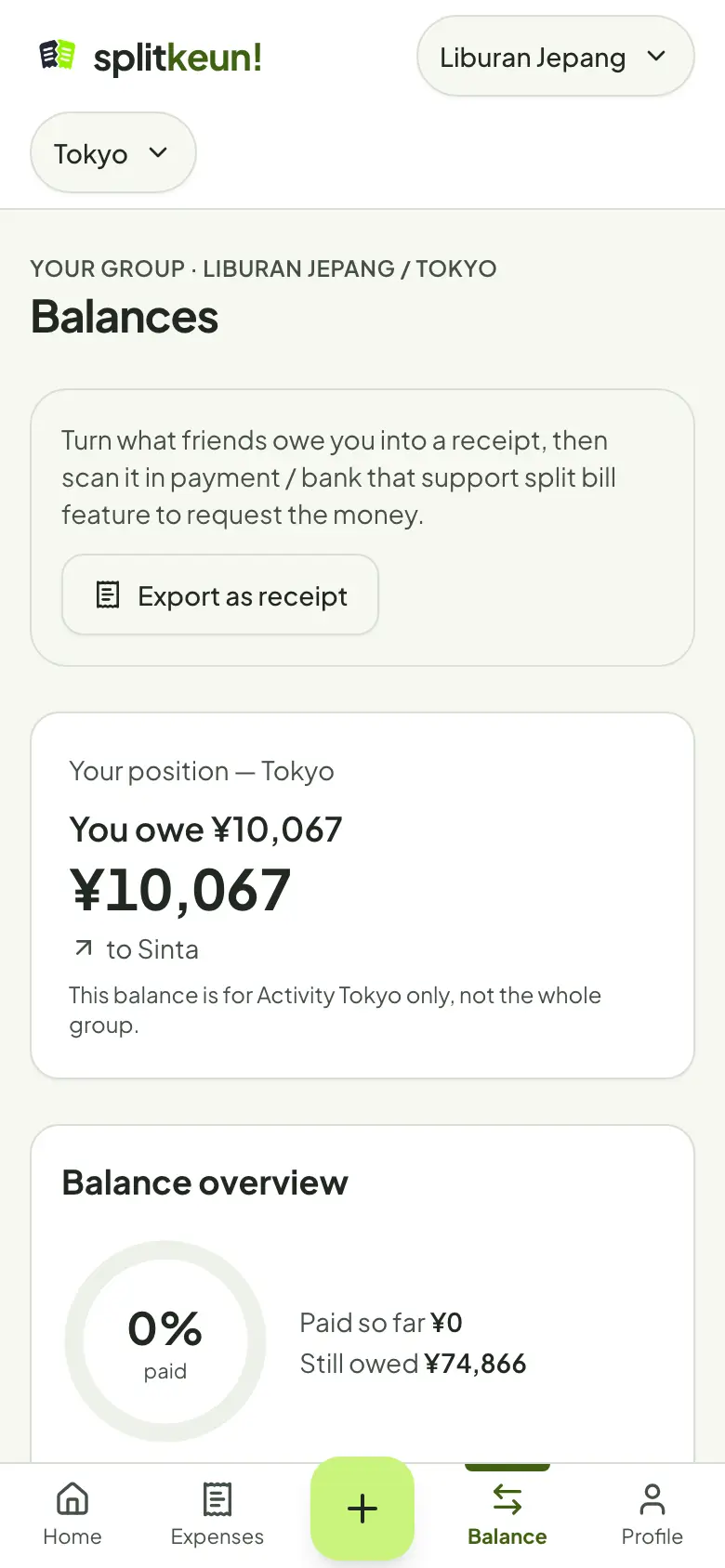
Read your balances
Balances shows who owes whom in the scope you have open. Each currency has its own balance.
Step 2
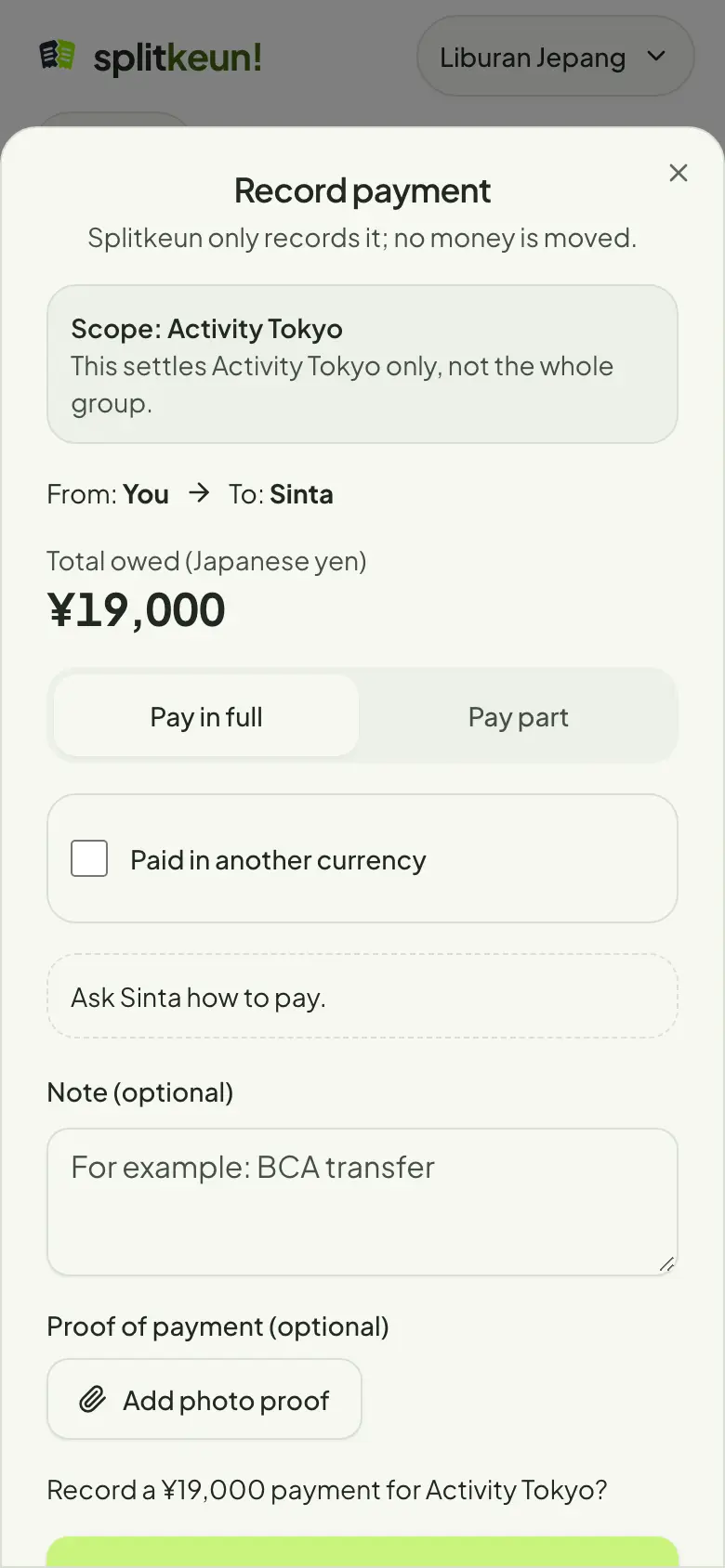
Record a payment
After paying, tap Record payment on that debt. Splitkeun only keeps the record; you send the money the way you usually do.
Step 3
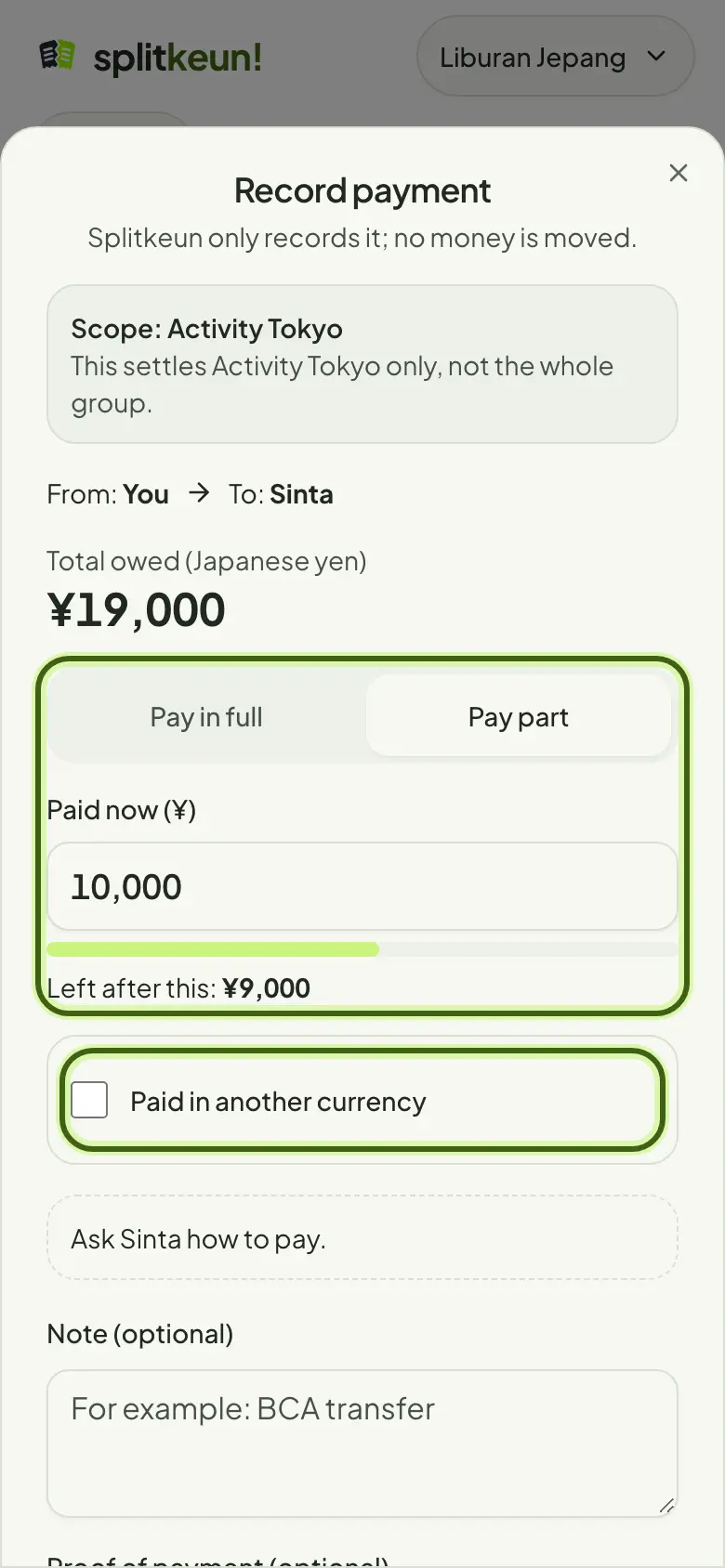
Pay part, or in another currency
Choose Pay part to record an instalment. Paid in another currency? Enter what was actually paid; only the original debt goes down.
Step 4
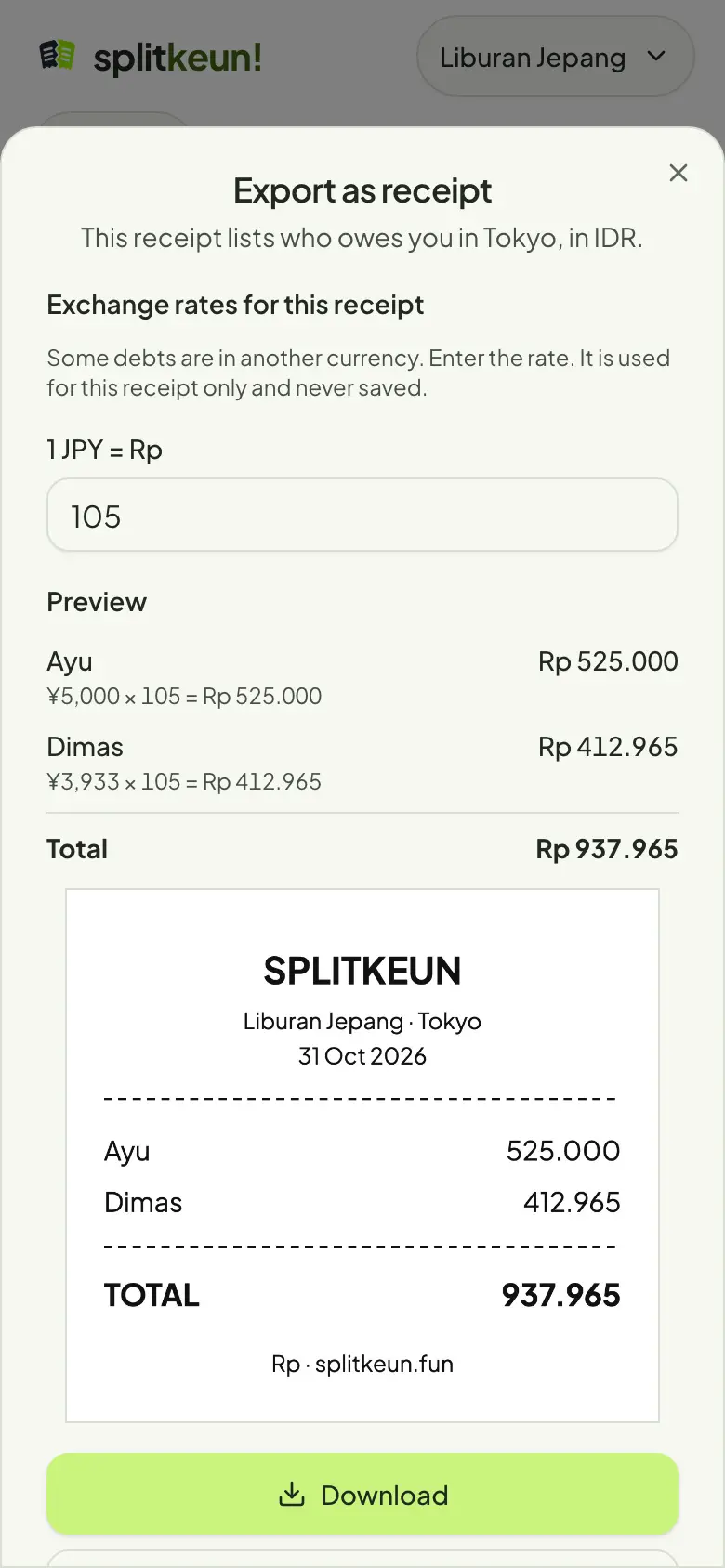
Export as a receipt
Turn what friends owe you into a receipt image, then scan it in a payment app that has a split bill feature to collect. Exporting never changes balances.
No account yet?
Try it in Splitkeun. It's free.