
Groups and members
Create a group, pick its currency and add people, including those without an account.
Steps
Step 1
Create a group
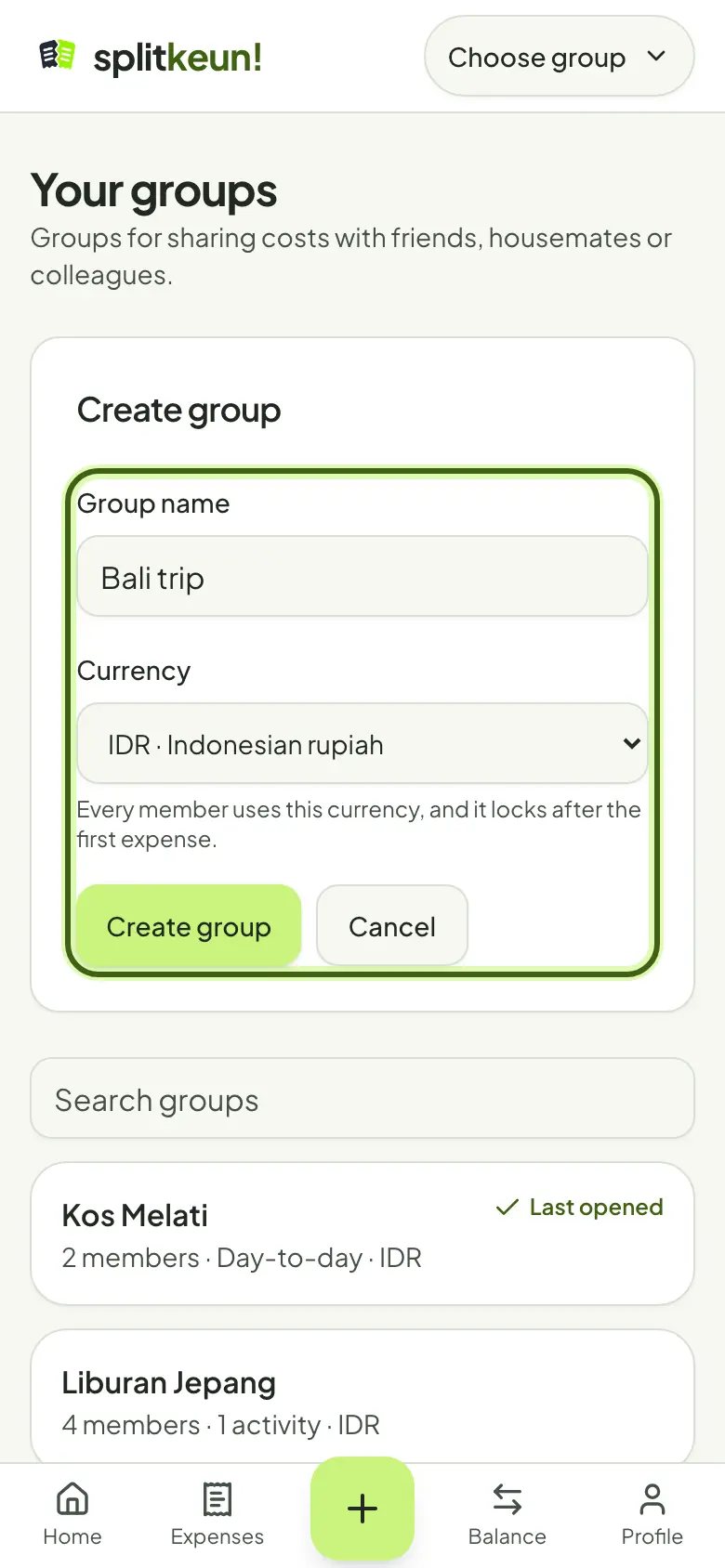
Open Your groups and tap Create group. Give it a name everyone recognises, like your house or your trip.
Step 2
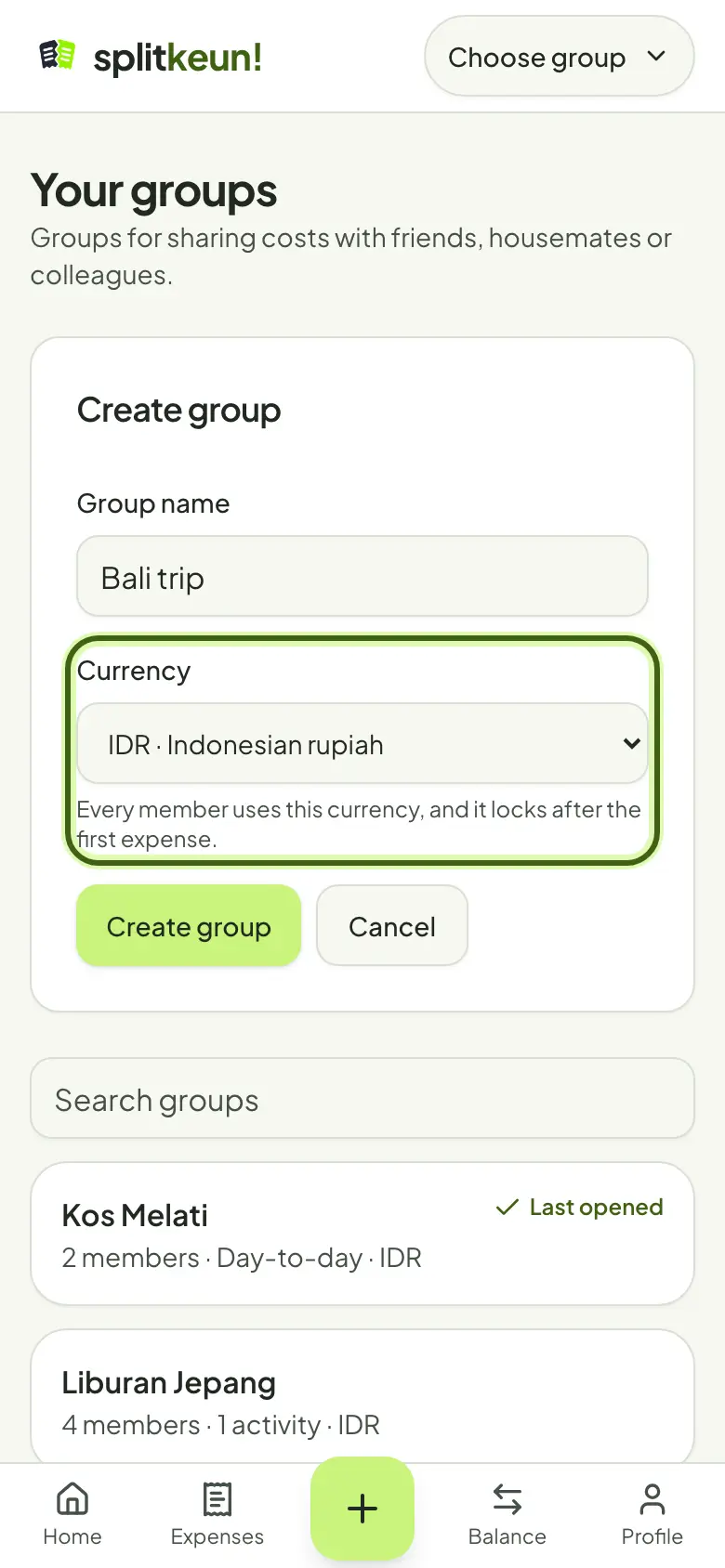
Pick the group's currency
This is the group's main currency, and it locks after the first expense. You can still record expenses in other currencies.
Step 3
Add members
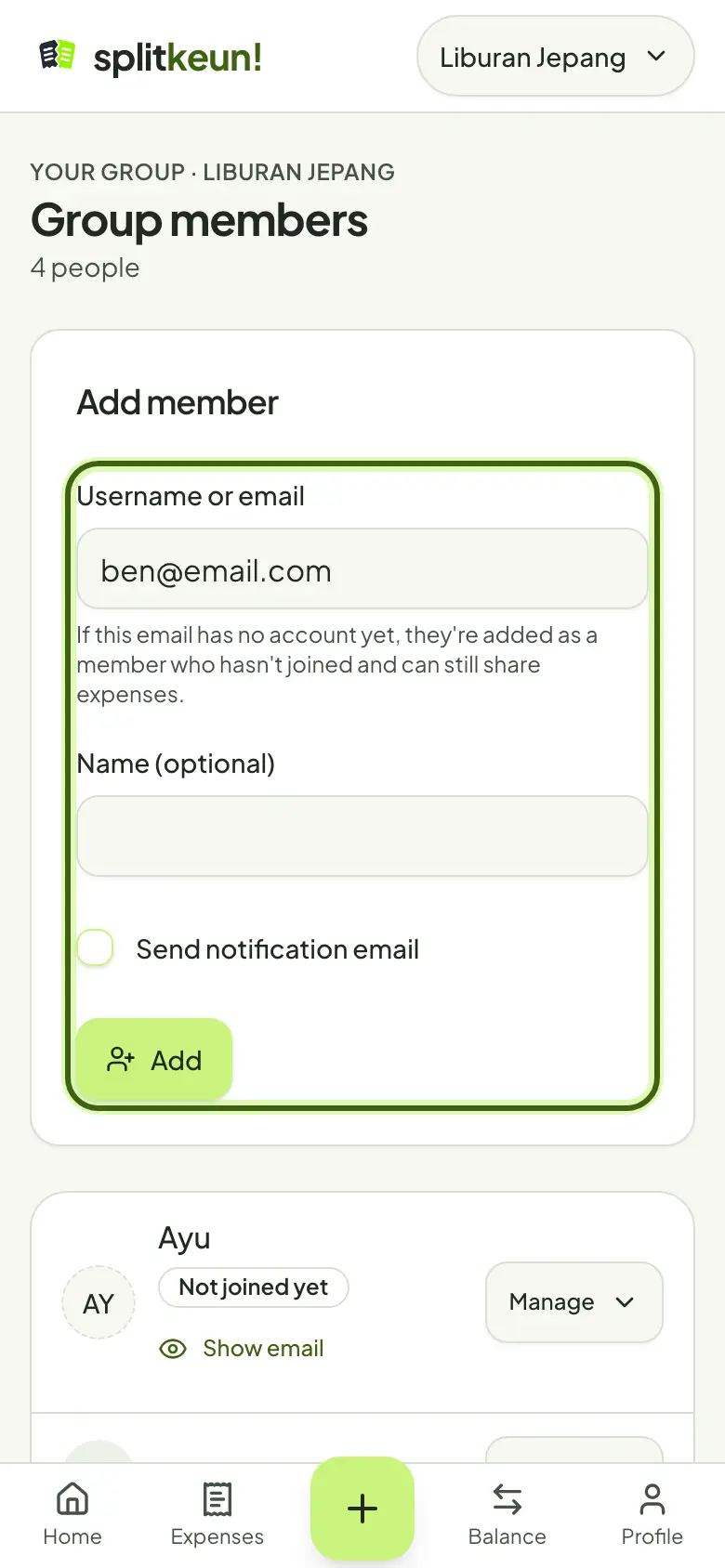
In Group members, type a friend's username or email. If the email has no account yet, they're added as not joined yet and can still share costs.
Step 4
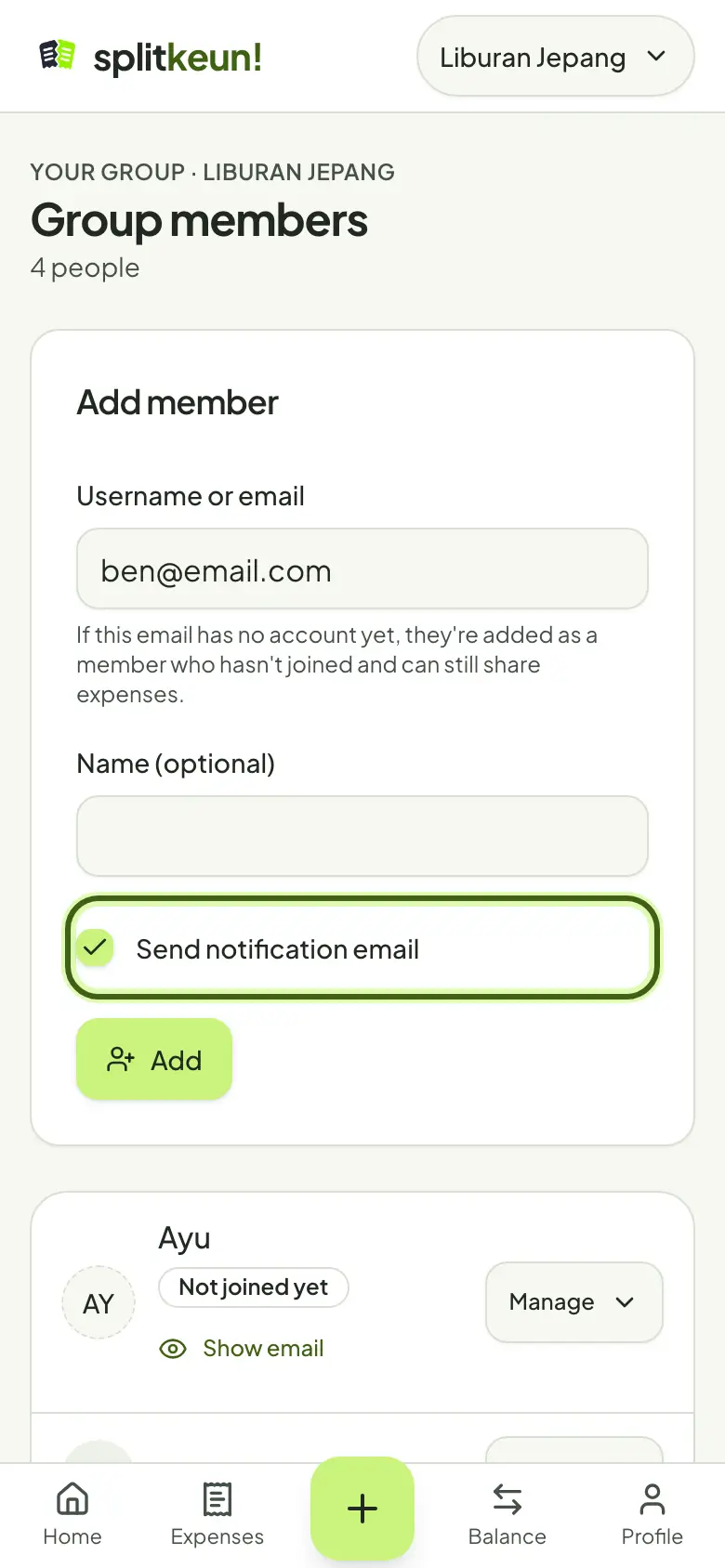
Let them know by email
Tick Send notification email. Your friend gets an email with a link to Splitkeun; once they sign in with that email, they see the group's expenses and balances.
No account yet?
Try it in Splitkeun. It's free.