
Activities
Keep a trip's or an event's expenses apart from day-to-day spending.
Steps
Step 1
Create an activity
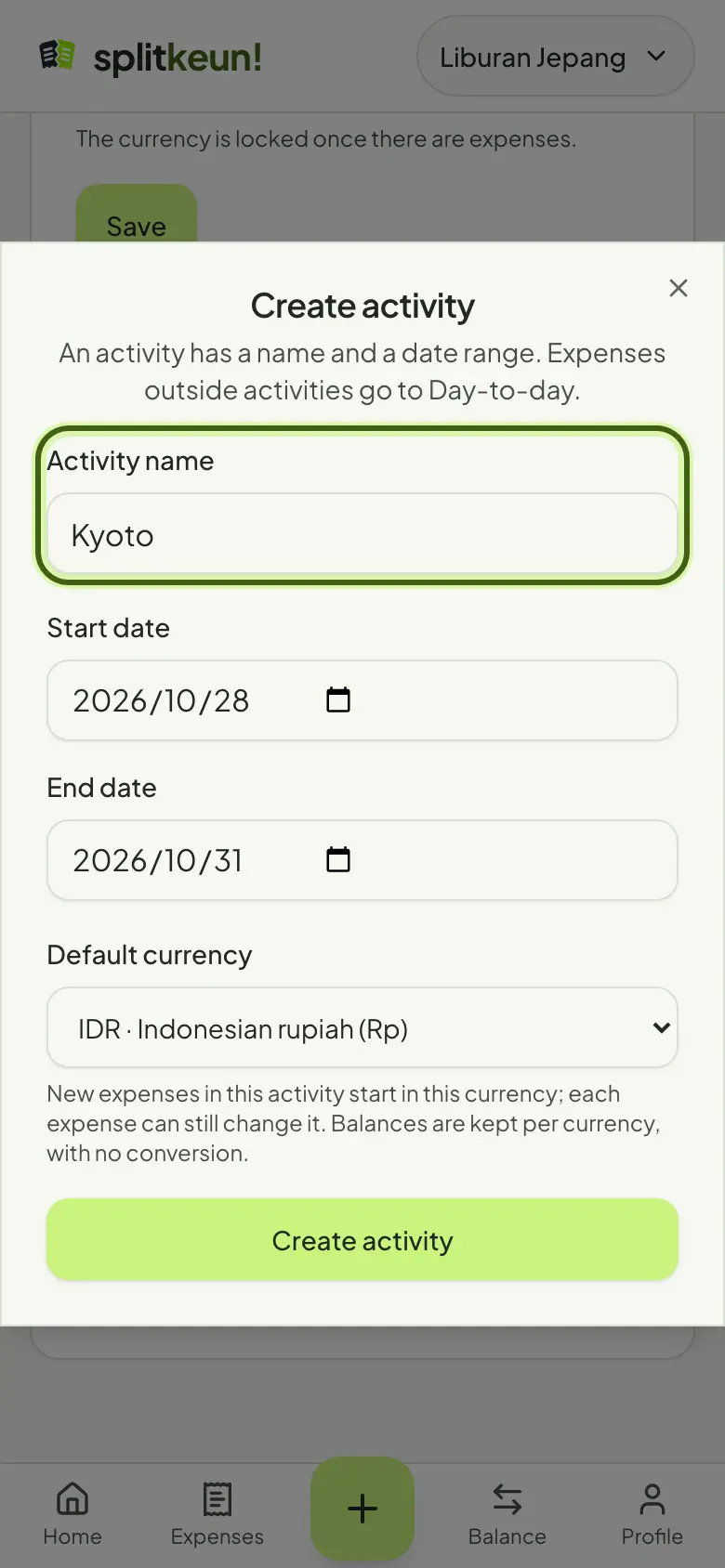
In Group settings, tap Create activity. Enter a name and its start and end dates, like Tokyo trip.
Step 2
Pick a default currency
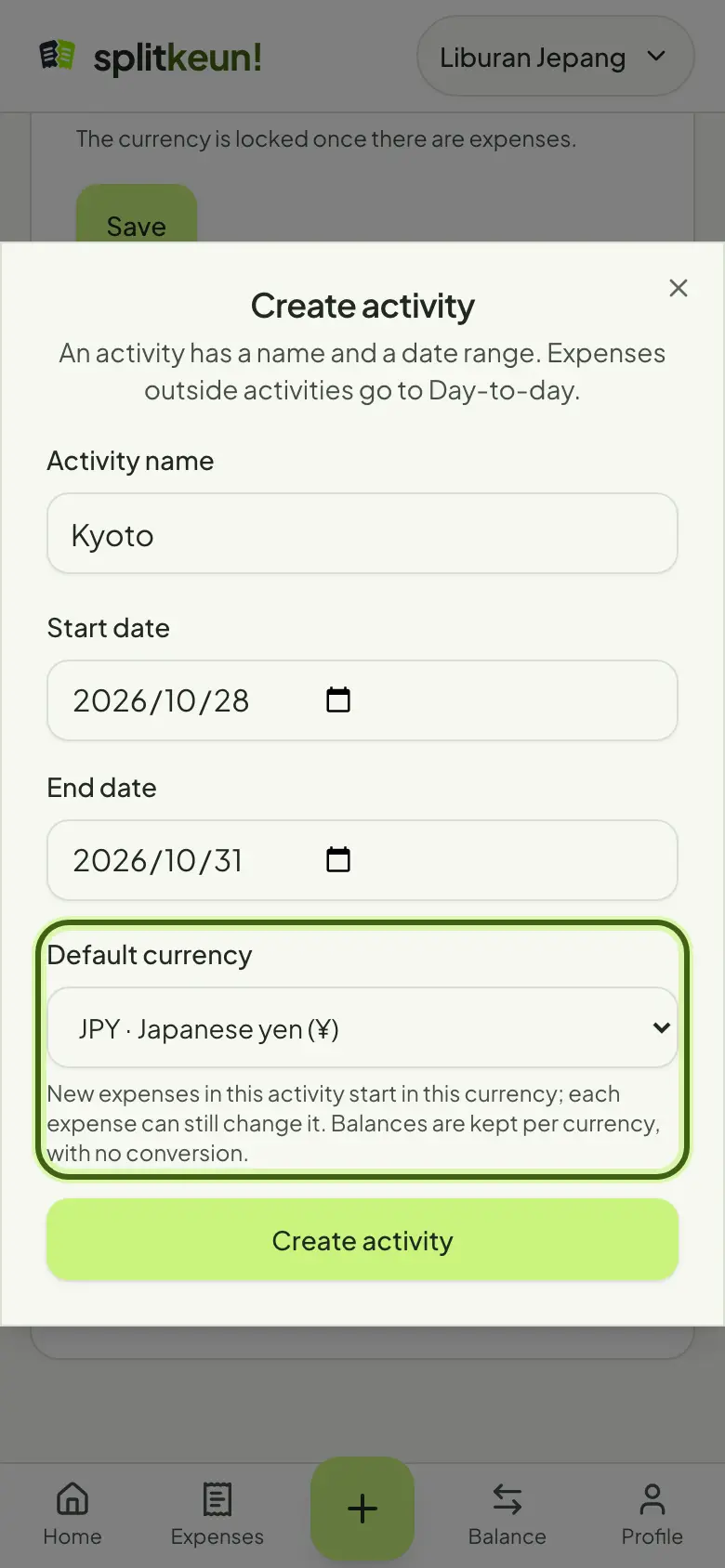
New expenses in this activity start in this currency, like JPY for a trip to Japan. You can still change it on each expense.
Step 3
Switch between activities and day-to-day
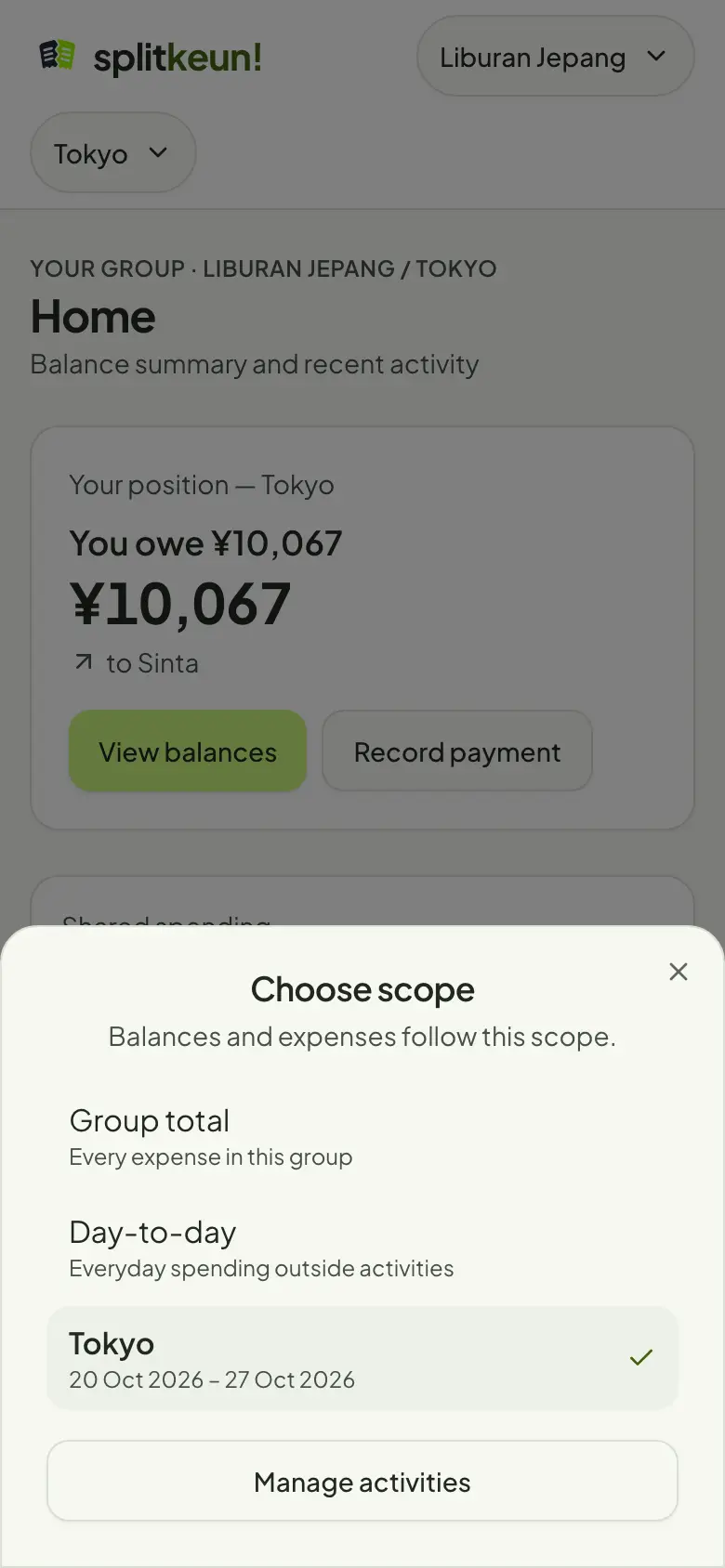
Tap the scope picker at the top to open one activity, Day-to-day or the Group total. Expenses outside an activity go to Day-to-day.
No account yet?
Try it in Splitkeun. It's free.